Look around you. The logo on your morning coffee cup, the poster at the bus stop, the app on your phone, the packaging of your favourite snack: someone designed every one of them. Graphic design shapes how we see, feel and make decisions every day, often without our noticing.
If you have ever wanted to create visuals that look professional, or even turn that interest into a career, you are in the right place. This guide covers the basics: what graphic design is, the principles behind good work, the tools you need, and how to take your first steps with confidence.
What Is Graphic Design?
Graphic design is the art of communicating ideas visually. Designers combine images, typography, colour and layout to deliver a message clearly and attractively. That message might be “buy this product,” “attend this event,” or simply “this brand is trustworthy.”
Good design is not just decoration. A beautiful poster that nobody can read has failed. A plain-looking flyer that gets its point across instantly has succeeded. The goal is always communication first, beauty second, and the best work manages both.
Graphic design covers many areas, including:
- Branding and logo design: creating the visual identity of a business
- Print design: brochures, posters, business cards, magazines
- Digital design: social media graphics, web banners, email templates
- Packaging design: boxes, labels and bottles that catch the eye on a shelf
- UI/UX design: the look and feel of apps and websites
- Motion graphics: animated logos, video titles and explainers
As a beginner, you don’t have to pick one now. Explore first, and your interests will become clear.
Why Learn Graphic Design Today?
Demand for visual content has never been higher. Every business, from a neighbourhood bakery to a global tech company, needs strong visuals to stand out online. That creates opportunities in several directions:
- Career options: You can work in agencies, in-house marketing teams, publishing houses or start-ups.
- Freelancing: Many designers build flexible careers working with clients across the world.
- Entrepreneurship: Design skills help you build your own brand, sell templates or run a creative studio.
- Everyday usefulness: Even outside a design career, you can make better presentations, resumes and social media posts.
The best part is that you don’t need to be born “artistic.” Design is a skill built through learning and practice, much like learning to drive or cook.
The Core Principles Every Beginner Should Know
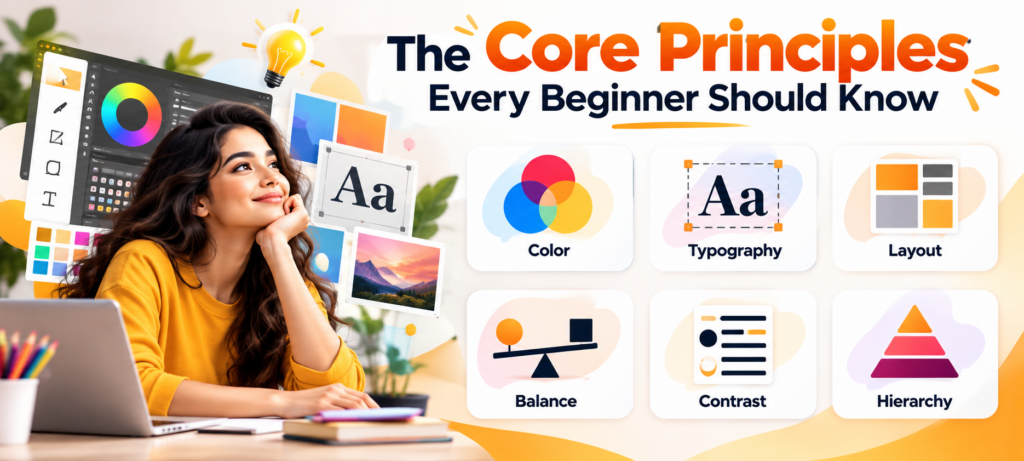
Before you touch any software, learn the ideas behind good design. Software changes, but these principles don’t.
1. Hierarchy
Hierarchy tells the viewer what to look at first, second and third. You create it with size, colour, weight and placement. A headline is usually larger and bolder than body text because it needs to be noticed first. If everything on a page shouts equally loudly, nothing gets heard.
2. Contrast
Contrast is the difference between elements: light against dark, big against small, thick against thin. It improves readability and draws attention to what matters. Light grey text on a white background may look elegant, but it is hard to read, and readability always wins.
3. Alignment
Every element on the page should have a visual connection to something else. Aligning text and images along common lines creates order and makes a design feel deliberate rather than accidental. Most amateur-looking layouts have alignment problems.
4. Repetition
Repeating fonts, colours, shapes or spacing across a design (or across a whole brand) creates consistency. Think of how a company’s website, packaging and social media all feel related. That’s repetition at work.
5. Proximity
Related items should sit close together, and unrelated items should have space between them. Grouping information logically makes it far easier to scan.
6. White Space
White space, sometimes called negative space, is the empty area around your elements. Beginners often fear it and try to fill every corner. Resist that urge. White space gives your content room to breathe and makes designs look clean and premium.
7. Balance
Balance distributes visual weight across the layout. It can be symmetrical (formal and stable) or asymmetrical (dynamic and modern). Either works as long as the composition feels steady.
Understanding Colour and Typography
Two elements make or break most beginner designs: colour and type.
Colour Basics
Colour carries emotion and meaning. Blue often suggests trust and calm, red signals energy or urgency, green feels natural and fresh, and yellow feels optimistic. Cultural context matters too, so always think about your audience.
Start with the colour wheel and learn a few simple schemes:
- Monochromatic: different shades of a single colour
- Complementary: colours opposite each other on the wheel, which create strong contrast
- Analogous: colours sitting side by side, which create harmony
A useful beginner rule is the 60-30-10 guideline: use a dominant colour for about 60% of the design, a secondary colour for 30%, and an accent for 10%. It’s simple and works surprisingly often.
Typography Basics
Typography is the art of arranging type, and it is arguably the most important skill in graphic design. Some starting tips:
- Limit your fonts. Two typefaces are usually enough: one for headings, one for body text.
- Pair contrast wisely. A bold display font pairs well with a clean, simple one.
- Mind the spacing. Line height, letter spacing and margins strongly affect readability.
- Choose fonts that match the message. A playful script suits a birthday invitation but not a law firm’s brochure.
Tools You Will Need
You don’t need expensive equipment to start. A reasonably capable computer and a few good tools are enough.
- Adobe Photoshop: for photo editing, retouching and image compositing
- Adobe Illustrator: for vector graphics such as logos, icons and illustrations
- Adobe InDesign: for multi-page layouts like magazines, books and brochures
- CorelDRAW: a popular vector design alternative
- Canva: a beginner-friendly tool for quick social media graphics and simple layouts
- Figma: widely used for UI design and collaboration
A common mistake is trying to learn every tool at once. Begin with one raster tool (Photoshop) and one vector tool (Illustrator), and you will have a strong foundation. Understand the difference between raster images, made of pixels, and vector graphics, made of mathematical paths, since it affects how you create and export your work.
A Simple Roadmap for Getting Started
Here is a practical path you can follow:
Step 1: Study the basics. Learn the principles above and start noticing design in the real world. Ask why a poster works or why a website feels confusing.
Step 2: Get comfortable with one tool. Spend a few weeks learning the interface, shortcuts and core features before moving on.
Step 3: Recreate existing designs. Copying a design for practice (never for publishing) teaches you how professionals handle spacing, layers and alignment.
Step 4: Start small projects. Design a poster, a social media post, a business card or a personal logo. Small projects are finishable, and finishing builds confidence.
Step 5: Build a portfolio. Employers and clients care more about what you can create than what certificates you hold. Collect your best work, ideally with a short explanation of the problem each project solved.
Step 6: Seek feedback. Share your work with peers, mentors or online communities. Criticism stings a little, but it speeds up your growth enormously.
Step 7: Stay curious. Follow design blogs, browse inspiration platforms and keep experimenting. Trends change, but curiosity keeps you relevant.
Why Consider a Graphic Design Course?
Self-learning through tutorials is possible, but it can feel scattered. You may pick up tricks without understanding the theory, or miss important topics entirely. A structured graphic design course solves several of these problems:
- A clear learning path that moves from fundamentals to advanced skills
- Expert guidance so your mistakes are corrected early
- Hands-on practice with real briefs and deadlines
- Peer learning from classmates working on similar challenges
- Portfolio development with projects you can show to employers
Most importantly, a good course gives you accountability and momentum, which many self-learners struggle to maintain.
Finding a Graphic Design Course in Kolkata
Kolkata has a rich tradition in art, publishing and advertising, and that creative heritage is now blending with a growing digital and start-up scene. For students and career changers in the city, that means real opportunities, and more people are searching for a graphic design course in Kolkata that offers practical, industry-focused training.
When comparing options, look for:
- A curriculum covering design fundamentals plus industry-standard software
- Trainers with real-world experience
- Project-based learning rather than theory alone
- Portfolio support and career guidance
- Flexible batches that suit students and working professionals
One name worth exploring is Moople Institute, which offers creative and design-focused training for learners who want to build job-ready skills. If you are a beginner, visiting the institute, speaking to the counsellors and asking about the syllabus, software covered, batch timings and project work will help you decide whether it fits your goals. Always confirm current course details directly with the institute, as offerings and schedules can change
Whichever institute you choose, attend a demo class if one is offered. Pay attention to how the teacher explains concepts and whether the environment makes you want to learn.
Common Beginner Mistakes (and How to Avoid Them)
Everyone makes mistakes early on. Knowing the common ones saves time:
- Using too many fonts or colours. Simplicity almost always looks more professional.
- Ignoring hierarchy. If viewers can’t tell what’s important, they’ll move on.
- Overcrowding the layout. Give your content space.
- Stretching or distorting images. Always scale proportionally, and use high-resolution files.
- Following trends blindly. Trends fade, and clarity lasts.
- Skipping the brief. Understand the purpose and audience before designing.
- Never finishing projects. Done beats perfect, especially when you are learning.
Final Thoughts
Graphic design is one of the most rewarding creative skills to learn. It rewards curiosity, patience and practice far more than natural talent. Start with the principles of hierarchy, contrast, alignment and white space. Learn one or two tools well. Design something every week, even if it’s small. Before long, you will notice your eye improving, your layouts getting cleaner and your confidence growing.
If you want faster progress, a structured graphic design course can give you the direction, feedback and portfolio-ready projects that self-study often lacks. And if you are based in the City of Joy, exploring a graphic design course in Kolkata, including options like Moople Institute, could be the first step towards turning your creative interest into a real skill set and possibly a career.
Every professional designer once opened a blank canvas with no idea where to begin. The only difference between them and you is time and practice. So open that canvas, make your first shape, and start designing.

Pooja Sharma is a creative education content writer who creates engaging articles on career guidance, skill development, and learning opportunities to help students make informed decisions.