

Your page looks perfect in the browser, yet Google shows a blank snippet or leaves it out of the index. In many cases, JavaScript is the reason. If you are studying a Diploma in Digital Marketing with AI, this is one of the technical topics that separates people who only publish content from people who can make sure that content gets found.
The short answer: Google can process JavaScript, but it does so in extra steps, and anything that slows or blocks those steps can keep your content out of search results. Content that only appears after a script runs, a click, or a scroll is the most at risk.
What Is JavaScript SEO?
JavaScript SEO is the practice of making sure search engines can crawl, render, and index pages built with JavaScript frameworks such as React, Angular, or Vue. It sits within technical SEO, and it is a common topic in any serious digital marketing course.
How Google Handles JavaScript Pages
Google’s documentation describes three stages: crawling, rendering, and indexing.
- Crawling: Googlebot fetches the URL and reads the raw HTML.
- Rendering: Pages that need JavaScript are queued for a rendering step, where the scripts run and the final page is built.
- Indexing: Google indexes what it sees after rendering.
The gap between steps one and two is the trouble spot. If your main content is missing from the raw HTML and depends on rendering, it may be indexed later or, if something breaks, not at all.
Why Some Content Is Difficult to Crawl
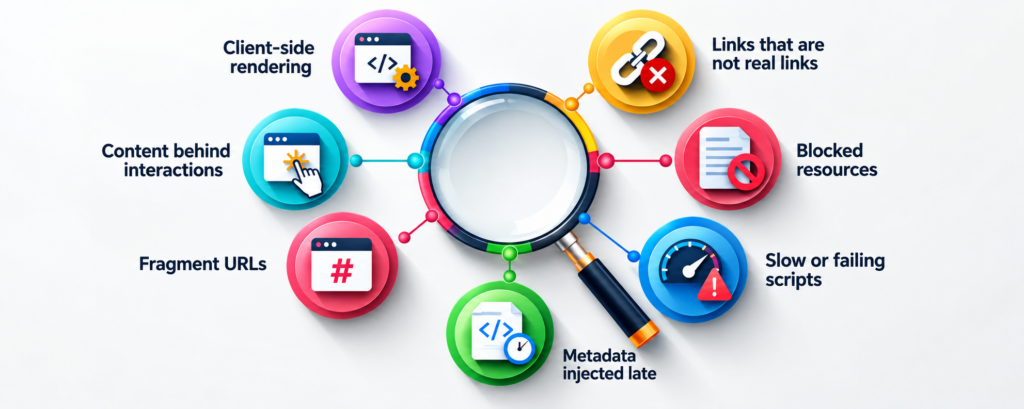
1. Client-side rendering
In a purely client-side setup, the server sends a nearly empty HTML shell and the browser builds the page. Users see a full page, but the crawler’s first look shows almost nothing.
2. Links that are not real links
Googlebot follows standard <a href> links. Navigation built with click handlers or buttons that change the page without a proper URL can leave whole sections undiscovered.
3. Content behind interactions
Text that loads only after a click, hover, or login is generally not seen, because Googlebot does not interact with pages the way a person does. Infinite scroll and “load more” buttons are common examples, especially on product and blog listings.
4. Blocked resources
If your robots.txt blocks the JavaScript or CSS files a page needs, Google cannot render it properly. This often happens by accident during site migrations.
5. Fragment URLs
URLs that rely on hashes (example.com/#/services) do not give Google separate pages to index. Use clean paths through the History API instead.
6. Metadata injected late
Titles, meta descriptions, canonical tags, and structured data added by JavaScript can be missed or read inconsistently. Placing them in the server response is safer.
7. Slow or failing scripts
Errors, timeouts, and heavy bundles can leave the rendered page incomplete. Speed also affects user experience, which matters beyond crawling.
Quick Comparison of Rendering Approaches
| Approach | What the crawler sees first | SEO risk |
| Server-side rendering (SSR) | Full HTML | Low |
| Static generation | Full HTML | Low |
| Client-side rendering (CSR) | Mostly empty shell | Higher |
| Hybrid / hydration | Full HTML, then interactivity | Low to moderate |
How to Check Whether Your Content Is Visible
You do not need to guess. Try these checks:
- URL Inspection in Google Search Console: Compare the crawled HTML and the rendered screenshot to see what Google actually gets.
- View Source vs. Inspect: View Source shows the raw HTML, while Inspect shows the rendered page. If your text appears only in Inspect, it depends on JavaScript.
- Search a unique sentence: Put a distinctive line from the page in quotes on Google, with site:yourdomain.com. If it does not appear, investigate.
- Disable JavaScript in your browser: Whatever disappears is what a non-rendering crawler cannot read.
Practical Fixes
- Serve important content, headings, and internal links in the initial HTML through SSR or static generation.
- Use proper anchor tags with real URLs for navigation.
- Give each view a unique, clean URL and avoid hash routing.
- Keep JavaScript and CSS files open to crawlers.
- Put titles, canonical tags, and structured data in the server response where possible.
- Make sure paginated content has crawlable links instead of relying only on infinite scroll.
- Avoid returning a “200 OK” for pages that display an error message through JavaScript.
Where AI Fits In
AI tools can speed up parts of the technical workflow. They can summarise a crawl report, group similar page issues, or draft a checklist for developers. They cannot replace verification, though. You still need to confirm what Google renders, and you need to understand why a fix works before you brief a developer. This blend of AI-assisted workflows and solid technical understanding is why a Diploma in Digital Marketing with AI is relevant for students aged 18 to 30 who want practical skills rather than theory alone.
Learning This in Kolkata
Students across Kolkata, from Baguiati, Barasat, and Sealdah to Jodhpur Park, New Alipore, Sonarpur, Serampore, Chandannagar, and Berhampore, are looking for training that goes beyond social media basics. Technical SEO, including how JavaScript affects visibility, is a skill employers in agencies and in-house teams value. When comparing options for a digital marketing course in Kolkata, check whether the syllabus covers technical SEO, analytics, and AI tools, and whether you get hands-on practice with real websites.
Frequently Asked Questions
1. Can Google crawl JavaScript websites?
Yes, Google can render JavaScript, but rendering happens in a separate step and can be delayed or fail. Relying on it for critical content adds risk.
2. Is JavaScript bad for SEO?
No. Problems come from how it is implemented. A well-configured SSR or static setup can perform as well as a plain HTML site.
3. What is the difference between crawling and rendering?
Crawling is fetching the page’s HTML. Rendering is running the scripts to build the final page. Indexing depends on what is available after both.
4. How do I know if my content is indexed?
Use the URL Inspection tool in Search Console, or search a unique sentence from the page with the site: operator.
5. Should I use server-side rendering for every page?
Not always. Pages that need to rank, such as service pages, blog posts, and product pages, benefit most. Private dashboards do not need it.
6. Do other search engines handle JavaScript the same way?
Not necessarily. Rendering ability varies, so serving key content in the initial HTML is the safer route for all crawlers.
7. Is JavaScript SEO covered in a digital marketing course?
Good courses introduce it within technical SEO. Ask for the syllabus to confirm the depth.
8. Do I need to code to work on JavaScript SEO?
You do not need to be a developer, but you should read a rendered page, spot missing content, and explain the problem clearly to one.
Conclusion
JavaScript does not stop a site from ranking, but it adds steps where content can go missing. The safest rule is simple: if the content matters for search, make sure it is present in the HTML that Google receives, reachable through real links, and verified in Search Console.
If you want to build these technical skills alongside content, analytics, and AI tools, explore the Diploma in Digital Marketing with AI at Moople Institute. Learn more about the digital marketing course here.

Farhat Jabeen is passionate about documenting the student enrollment journey in the fields of technology, design, and digital media. Through her writing, she shares practical guidance, industry insights, and real-world learning experiences that help aspiring students confidently navigate their path toward creative and technology-driven careers. Her goal is to empower learners with the knowledge they need to choose the right educational journey.